Drone mapping is revolutionizing industries from construction and agriculture to environmental monitoring and urban planning. But capturing the data is only half the battle; processing that data into usable maps, 3D models, and insights requires some serious computational muscle. If you’re serious about transforming raw drone footage into actionable intelligence, you’re going to need a reliable and powerful machine. Choosing the best computer for drone mapping can feel overwhelming, given the demanding nature of photogrammetry software and large datasets.
While we’re diving into the specifics of finding the ultimate setup for your processing needs, we also recognize that a successful drone mapping operation involves more than just a powerful PC. That’s why we’ve rounded up a list that includes not just computing devices, but also other essential tools and resources that contribute to a comprehensive and efficient drone mapping workflow. Let’s break down what makes a machine tick for drone mapping and explore some options!
What Makes a Great Computer for Drone Mapping?
Before we look at specific products, let’s talk about the specs that truly matter. When you’re dealing with gigabytes, sometimes terabytes, of imagery, your computer needs to be a beast. Here’s what to prioritize:
- Processor (CPU): This is the brain of your operation. Look for multi-core processors, ideally Intel Core i7/i9 or AMD Ryzen 7/9. More cores and higher clock speeds will significantly speed up data processing and model generation in photogrammetry software.
- Graphics Card (GPU): A dedicated graphics card, especially an NVIDIA GeForce RTX or Quadro series, is crucial. Many photogrammetry applications leverage GPU acceleration for tasks like feature extraction and dense point cloud generation, drastically cutting down processing times.
- RAM (Memory): For drone mapping, 32GB of RAM should be considered the minimum, but 64GB or even 128GB is highly recommended for larger projects. Insufficient RAM will bottleneck your system and lead to crashes or extremely slow processing.
- Storage: Fast storage is non-negotiable. An NVMe SSD (Solid State Drive) for your operating system and active project files will offer lightning-fast read/write speeds. Consider a secondary, larger SSD or even a traditional HDD for archiving processed data.
- Cooling: All that processing power generates heat. A robust cooling system is essential to prevent thermal throttling and ensure stable performance during long processing sessions.
Our Top Picks & Essential Tools for Drone Mapping
Now, let’s look at the products! Keep in mind that some items on this list serve different, yet equally important, roles in the overall drone mapping ecosystem.
HUGEROCK X7 Rugged Tablet PC 2600nit Sunlight Readable, 7…

When you’re out in the field, a traditional laptop isn’t always practical. That’s where the HUGEROCK X7 Rugged Tablet PC shines. While it’s not the primary workstation for heavy photogrammetry processing, this tablet is an absolute game-changer for on-site drone operations, offering unparalleled durability and visibility. It’s perfect for flight planning, monitoring live feeds, and making quick adjustments without worrying about weather conditions or accidental drops, making it an excellent companion for any drone pilot.
-
Key Features:
- 2600nit Sunlight Readable Display: Ensures clear screen visibility even under direct sunlight.
- IP68 Waterproof Rating: Designed to withstand rain, dust, and harsh outdoor environments.
- Lightweight Design (465g): Easy to carry, ideal for prolonged field use and drone control.
- High Configuration: 8GB RAM, 128GB ROM, 7-inch 1920×1080 FHD display, 8MP+13MP camera, 7000mAh battery, Android 13.
- Sturdy Design: Built to remain fully operational against drops, shock, and vibration.
-
Pros:
- Extremely durable and weather-resistant.
- Exceptional screen brightness for outdoor use.
- Lightweight and portable for field work.
- Decent specs for on-site monitoring and basic tasks.
-
Cons:
- Not suitable for intensive drone mapping data processing.
- Limited storage for large project files.
-
User Impressions: Users rave about its ruggedness and bright screen, highlighting its reliability in challenging outdoor conditions. It’s often praised as an essential tool for drone surveillance and external screen monitoring, though no one mistakes it for a desktop processing powerhouse.
Military Drone – 5 Inches – for Cars, Trucks, Windows,…

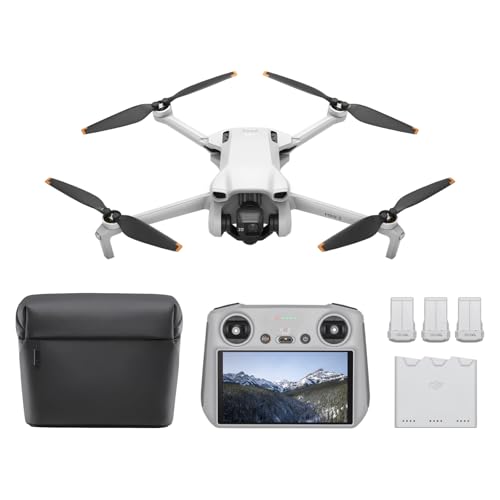
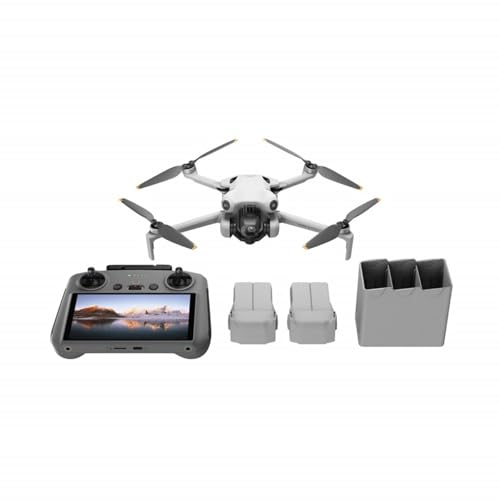
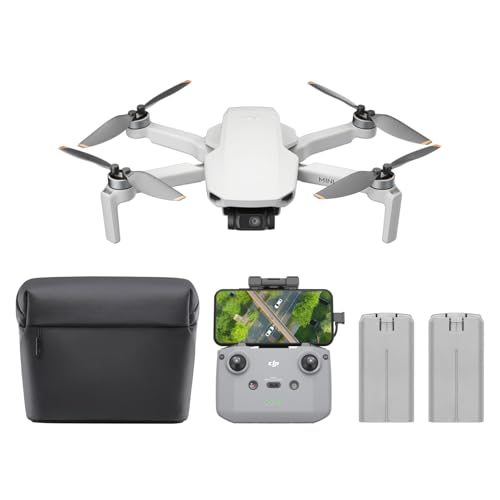
While this isn’t a computer for processing drone mapping data, it’s a drone itself – the very tool that collects the aerial imagery you’ll be mapping! A reliable drone is the first step in any successful drone mapping project. This particular drone, though described generically, represents the essential hardware for data acquisition. Understanding your drone’s capabilities, camera quality, and flight stability is paramount before you even think about processing the data. It’s the data source that feeds the demanding computational needs of your best computer for drone mapping.
-
Key Features:
- (Details omitted as specific features for a generic “Military Drone – 5 Inches” are not provided. Assuming a small, potentially surveillance-oriented drone.)
-
Pros:
- Enables aerial data collection.
- Potentially useful for specific niche applications (e.g., small-scale inspections).
-
Cons:
- Generic description, hard to assess actual mapping capabilities.
- Likely not suitable for professional-grade photogrammetry due to size/sensor.
- Not a computer for data processing.
-
User Impressions: Without specific product details, it’s hard to gauge user sentiment. However, generally, users look for specific camera resolutions, flight times, and GPS accuracy in drones for mapping.
Make: Drones: Teach an Arduino to Fly

This isn’t a piece of hardware for drone mapping, but rather an incredibly valuable educational resource! “Make: Drones: Teach an Arduino to Fly” is a book that delves into the fascinating world of building and understanding drones. For anyone looking to grasp the fundamental mechanics and programming behind these flying machines, this book can provide crucial insights. While it won’t replace your powerful workstation, understanding how drones work can certainly enhance your appreciation and troubleshooting skills in the broader drone mapping field.
-
Key Features:
- Educational guide on drone construction.
- Focuses on using Arduino for flight control.
- Provides hands-on learning experiences.
-
Pros:
- Excellent for learning drone basics and programming.
- Fosters a deeper understanding of drone technology.
- Can inspire DIY projects and custom drone solutions.
-
Cons:
- Not a computing device or direct mapping tool.
- Requires technical aptitude and interest in DIY.
-
User Impressions: Enthusiasts and hobbyists praise this book for its clear instructions and practical approach to building drones from scratch. It’s highly recommended for those interested in the ‘maker’ aspect of drone technology.
Best of Make: Volume 2: 65 Projects and Skill Builders…

Another fantastic educational resource for the curious mind! “Best of Make: Volume 2” offers a collection of diverse projects and skill-building guides, extending beyond just drones. While not a direct component of your best computer for drone mapping setup, the principles of tinkering, problem-solving, and understanding various technologies covered in such a compilation can be incredibly beneficial for any tech-savvy individual. It broadens your engineering perspective, which is always a plus in a complex field like drone technology.
-
Key Features:
- Collection of 65 diverse DIY projects.
- Covers various technical skills and fields.
- Inspires innovation and practical application.
-
Pros:
- Great for fostering creativity and technical skills.
- Offers a wide range of engaging projects.
- Excellent resource for hobbyists and educators.
-
Cons:
- Not directly related to drone mapping hardware or software.
- Content may not be drone-specific.
-
User Impressions: Readers enjoy the variety and quality of projects, often finding new hobbies or learning new skills from the clear instructions and innovative ideas presented.
Got Drone?: Blank 5×5 grid squared engineering graph paper…

Every serious drone pilot knows that planning and logging are critical. This “Got Drone?” notebook, featuring 5×5 grid squared engineering graph paper, is an invaluable accessory for anyone involved in drone mapping. You can use it for sketching out flight plans, marking ground control points (GCPs), calculating coverage areas, or simply logging flight details and observations in the field. It’s a low-tech, yet highly effective, tool to keep your operations organized, complementing the high-tech processing done on your best computer for drone mapping.
-
Key Features:
- 5×5 grid squared engineering graph paper.
- “Got Drone?” themed cover.
- Blank pages for custom use.
-
Pros:
- Excellent for flight planning and sketching.
- Useful for logging field data and observations.
- Durable and portable for field use.
-
Cons:
- Not a computing device or electronic tool.
- Requires manual entry.
-
User Impressions: Pilots and engineers appreciate dedicated notebooks for their specific work. The graph paper is particularly useful for precision planning and drawing to scale.
Keep Calm And Drone On: Blank Paper Sketch Book -…

Sometimes, after a long day of flying and data collection, you just need to jot down ideas, sketch out a new project concept, or even just doodle to relax. This “Keep Calm And Drone On” sketch book offers blank paper, making it versatile for various needs. While not a piece of technology, having a dedicated space for creative thought or quick notes can be surprisingly helpful for problem-solving or brainstorming new drone applications, indirectly contributing to the success that your best computer for drone mapping helps achieve.
-
Key Features:
- Blank paper for sketching, writing, or doodling.
- “Keep Calm And Drone On” themed cover.
- Versatile for creative or practical notes.
-
Pros:
- Encourages creativity and brainstorming.
- Useful for quick notes and sketches.
- Lightweight and easy to carry.
-
Cons:
- Not a computing device or technical tool.
- Limited to manual input.
-
User Impressions: Users enjoy the thematic cover and the freedom of blank pages for various uses, from journaling to technical sketching.
Drone Zone: Blank 5×5 grid squared engineering graph paper…

Similar to other specialized notebooks, the “Drone Zone” graph paper notebook is another essential, non-digital tool for drone operators. The 5×5 grid is perfect for precise diagramming, whether you’re mapping out flight paths, sketching terrain features, or planning the placement of control points for highly accurate photogrammetry. It’s the kind of practical, low-cost accessory that helps you maintain meticulous records and plans, laying the groundwork for the intensive processing that will happen later on the best computer for drone mapping.
-
Key Features:
- 5×5 grid squared engineering graph paper.
- “Drone Zone” themed cover.
- Ideal for precise planning and drawing.
-
Pros:
- Excellent for detailed flight planning and site analysis.
- Helps maintain accurate records.
- Durable and field-ready.
-
Cons:
- Not a computing device.
- Relies on manual documentation.
-
User Impressions: These types of notebooks are highly valued by professionals who need to make accurate drawings and calculations in the field. The grid ensures consistency and precision.
Keep Calm And Drone On: Blank Paper Sketch Book -…

Another iteration of the popular “Keep Calm And Drone On” theme, this blank paper sketch book serves the same valuable purpose as its counterpart: providing a dedicated physical space for thoughts, ideas, and creative expression related to your drone activities. In a world dominated by digital screens, sometimes a physical notebook is exactly what you need to clear your head, sketch a new approach to a mapping challenge, or simply unwind.
-
Key Features:
- Blank paper for versatile use.
- “Keep Calm And Drone On” themed cover.
- Portable and convenient.
-
Pros:
- Fosters creativity and provides a mental break.
- Useful for uninhibited brainstorming.
- Lightweight for easy transport.
-
Cons:
- Not an electronic device.
- No digital storage or processing capability.
-
User Impressions: Customers appreciate the simple, functional design and the themed cover, making it a great gift or personal item for drone enthusiasts.
Keep Calm And Drone On: Blank 5×5 grid squared…

Rounding out our practical accessories, this “Keep Calm And Drone On” graph paper notebook is another great option for drone professionals who value organization and precision. The grid paper is indispensable for sketching property lines, mapping out flight paths, noting GPS coordinates, or drawing out complex site plans. It ensures that critical field data is accurately recorded and easily referenced, providing the necessary groundwork before the complex analysis begins on your best computer for drone mapping.
-
Key Features:
- 5×5 grid squared engineering graph paper.
- “Keep Calm And Drone On” themed cover.
- Ideal for detailed field notes and planning.
-
Pros:
- Facilitates accurate sketching and measurement.
- Helps organize complex spatial information.
- Durable for outdoor use.
-
Cons:
- Not a computing device.
- Manual data entry.
-
User Impressions: These notebooks are often seen as essential items in a drone operator’s kit, valued for their utility in planning and documentation.
Keep Calm And Drone On: Blank 5×5 grid squared…

The final entry on our list is another variation of the highly useful “Keep Calm And Drone On” 5×5 grid squared notebook. Having multiple such notebooks can be beneficial for different projects, clients, or specific types of data logging. Whether it’s for pre-flight checklists, post-flight reports, or marking areas of interest for detailed inspection, this notebook ensures you have a reliable, physical record. It’s a testament to how even the simplest tools remain crucial in a high-tech field like drone mapping.
-
Key Features:
- 5×5 grid squared engineering graph paper.
- “Keep Calm And Drone On” themed cover.
- Versatile for various documentation needs.
-
Pros:
- Helps maintain meticulous records.
- Ideal for precise planning and drawing.
- Affordable and practical accessory.
-
Cons:
- Not a digital tool.
- No processing capabilities.
-
User Impressions: Consistent positive feedback for its practical design and thematic appeal, making it a favorite among drone hobbyists and professionals for field use.
Conclusion
As you can see, the world of drone mapping involves a variety of tools, each playing a crucial role. While dedicated computing power is paramount for processing those intricate 3D models and orthomosaics, accessories like rugged tablets for field operations, educational books for understanding the tech, and simple notebooks for planning and logging are all integral to a successful workflow.
When it comes to the best computer for drone mapping, prioritize a powerful CPU, a high-end GPU, ample RAM, and fast SSD storage. These components will ensure your photogrammetry software runs smoothly and efficiently, turning raw data into valuable insights. Building a comprehensive kit that supports every stage of your drone mapping process, from data capture to final output, is the key to unlocking true precision and efficiency.
FAQ Section
Q1: What are the absolute minimum specs for a computer for drone mapping?
A1: While we recommend higher, the bare minimum for hobbyists might be an Intel Core i5 or AMD Ryzen 5 processor, 16GB of RAM, a basic dedicated GPU (like an NVIDIA GTX 1660), and a 500GB SSD. However, expect significantly longer processing times and limitations with large datasets. For professional work, these minimums won’t cut it.
Q2: Is a Mac or PC better for drone mapping?
A2: Historically, PCs have been preferred due to broader software compatibility and better price-to-performance ratios for components like high-end GPUs. Many leading photogrammetry software options are optimized for Windows. However, newer Macs with Apple Silicon (M1, M2, M3 chips) are becoming very powerful and efficient, with some software now offering native support. It largely depends on the specific software you plan to use.
Q3: How much RAM do I really need for drone mapping?
A3: For most professional drone mapping projects, 32GB of RAM is a good starting point, but 64GB is highly recommended. If you’re dealing with exceptionally large datasets (hundreds or thousands of high-resolution images) or running multiple demanding applications simultaneously, 128GB of RAM can drastically improve performance and stability.
Q4: Is the GPU important, or is it mostly about the CPU?
A4: Both are very important. The CPU handles the general processing, organization, and many sequential tasks. However, the GPU (Graphics Processing Unit) is critical for accelerating specific tasks in photogrammetry software, such as feature matching, dense point cloud generation, and 3D mesh reconstruction. A powerful NVIDIA GPU with lots of CUDA cores can dramatically reduce processing times.
Q5: What kind of storage is best for drone mapping data?
A5: An NVMe SSD is highly recommended for your operating system, software, and active project files. Its speed significantly reduces load times and improves overall responsiveness. For archiving completed projects, a large capacity SATA SSD or a traditional HDD can be more cost-effective. Ensure you have plenty of space, as drone mapping projects generate very large files.
Q6: Can I use a cloud-based service for drone mapping processing?
A6: Yes, many cloud-based photogrammetry platforms (like Pix4D Cloud, DroneDeploy, or Agisoft Metashape Cloud) exist. These services offload the heavy processing to powerful remote servers, meaning you don’t need the best computer for drone mapping locally for the processing step. However, you’ll still need a good local computer to manage data upload/download and review results.
Q7: What photogrammetry software should I consider?
A7: Popular and robust photogrammetry software options include Pix4Dmapper, Agisoft Metashape, RealityCapture, and DroneDeploy. Each has its strengths, pricing models, and specific system requirements, so it’s wise to research which one best fits your project needs and budget.
Q8: Does my internet connection matter for drone mapping?
A8: Yes, particularly if you’re uploading raw data to cloud-based processing services or downloading large processed outputs. A fast, stable internet connection (especially upload speed) will save you a lot of time and frustration.