Choosing the right DJI drone is just the first step; unlocking its full potential truly hinges on the companion app you use. For Android users, navigating the world of DJI apps can sometimes feel a bit tricky, especially with recent changes to app availability on the Google Play Store. But don’t you worry! We’re here to guide you through the best DJI drone app for Android experience, focusing on how each drone integrates with its essential software.
Whether you’re a beginner or a seasoned pilot, having a reliable and feature-rich drone control app on your Android device is absolutely crucial for flight planning, real-time camera views, video editing, and firmware updates. While the main DJI Fly and DJI Mimo apps aren’t directly available on Google Play anymore due to platform compatibility issues, they are readily accessible from DJI’s official website, ensuring a secure and up-to-date experience. Let’s dive into some fantastic DJI drones and how their associated apps make them shine for Android users!
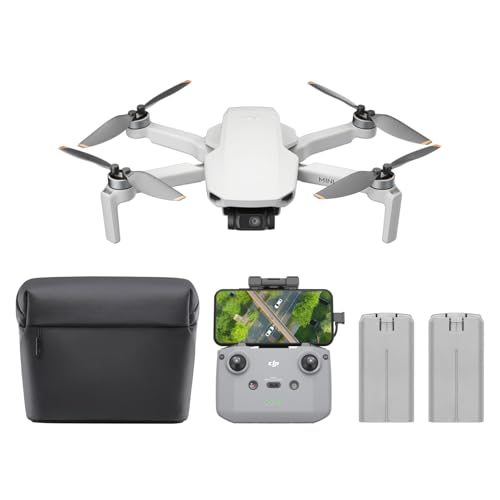
1. DJI Mini 4K Camera Drone Combo

This DJI Mini 4K Combo is a fantastic entry point for anyone looking to dip their toes into aerial photography without the hassle of registration. What truly makes it shine, however, is how seamlessly it integrates with the DJI Fly app (downloadable from the official DJI website). This app transforms your Android phone into a powerful flight controller and creative hub, offering intuitive controls, access to QuickShot intelligent flight modes, and a crystal-clear 4K live view that lets you frame your cinematic shots with precision. It’s an accessible package that proves you don’t need to break the bank for a top-tier aerial experience.
-
Key Features:
- Under 249g – No FAA registration or Remote ID needed for recreational use.
- 4K Ultra HD & 3-Axis Gimbal for cinematic-quality shooting.
- 38kph (Level 5) wind resistance for stable flight.
- 10km Max HD Video Transmission for clear, long-range views.
- Up to 93 minutes total flight time with the 3-battery set.
- Beginner-friendly features like one-tap takeoff/landing and GPS Return to Home (RTH).
- Intelligent QuickShots (Helix, Dronie, Rocket, Circle, Boomerang) for pro-level videos.
- Includes DJI Mini 4K, 2 batteries, DJI RC-N1C remote controller, shoulder bag, spare propellers.
-
Pros:
- Ultra-lightweight and registration-exempt.
- Excellent 4K camera with 3-axis stabilization.
- Long flight time with multiple battery options.
- Intuitive control via the DJI Fly app.
- Good wind resistance for its size.
-
Cons:
- DJI Fly app needs to be downloaded from the official DJI website for Android.
- No obstacle avoidance sensors (common for mini drones).
-
User Impressions: Users frequently praise the Mini 4K for its ease of use and impressive image quality for a drone of its size. The integration with the DJI Fly app is highlighted as very smooth, making flight operations and access to creative features straightforward, even after downloading the app manually. Many find it the best DJI drone app for Android experience for beginners.
2. DJI Mini 4K Fly More Combo

The DJI Mini 4K Fly More Combo takes all the fantastic features of the standard Mini 4K and supercharges your flight time. This combo is designed for creators who hate interrupting their flow, offering an abundance of batteries and a charging hub. For Android users, this means more time in the air exploring stunning landscapes and less time worrying about battery life, all while seamlessly controlling your drone and accessing advanced flight modes through the feature-rich DJI Fly app. It truly extends your creative sessions, making it an ideal choice for longer shoots or travel.
-
Key Features:
- No Registration Needed (under 249g).
- 4K Ultra HD & 3-Axis Gimbal for cinematic footage.
- 38kph (Level 5) Wind Resistant.
- 10km Max HD Video Transmission.
- Includes 3 batteries and a two-way charging hub for extended flight time (up to 93 minutes total).
- Beginner-Friendly and Safe operations.
- Intelligent QuickShots for automatic pro-level videos.
- Comes with DJI Mini 4K, 3 batteries, two-way charging hub, shoulder bag, and more.
-
Pros:
- Extended flight time out of the box with 3 batteries.
- Compact and portable for travel.
- High-quality 4K video and stable footage.
- DJI Fly app enhances user experience with various flight modes.
-
Cons:
- DJI Fly app requires direct download from DJI’s website for Android users.
- Lacks advanced obstacle sensing.
-
User Impressions: Pilots love the extra batteries and charging hub, citing them as essential for maximizing creative time. The drone’s stability and camera quality are consistently praised, and the DJI Fly app’s reliability on Android (once downloaded from the official site) is often highlighted as key to a great user experience.
3. DJI Mini 4K, Drone with 4K UHD Camera for Adults

This is the baseline package for the DJI Mini 4K, offering an incredible value for beginners. While it includes one battery, it still delivers the same exceptional 4K UHD camera quality and stable flight experience thanks to its 3-axis gimbal. For Android users, pairing this drone with the DJI Fly app (downloadable from DJI’s official website) unlocks its full potential, providing an intuitive interface for capturing stunning aerial photos and videos. It’s the perfect starting point to explore the world of DJI drones, proving you can get high-quality footage without an intimidating price tag.
-
Key Features:
- Under 249g – No FAA registration or Remote ID needed for recreational use.
- 4K Ultra HD & 3-Axis Gimbal for cinematic quality.
- 38kph (Level 5) Wind Resistant.
- Includes 1 battery (31-min flight time).
- Beginner-Friendly and Safe with one-tap operations and GPS RTH.
- Intelligent QuickShots for easy professional-looking videos.
- Comes with DJI Mini 4K, 1 battery, RC-N1C remote controller.
-
Pros:
- Affordable entry point into DJI 4K drones.
- Lightweight and easy to transport.
- Excellent camera stabilization and video quality.
- User-friendly for beginners through the DJI Fly app.
-
Cons:
- Only one battery, limiting flight time compared to combos.
- DJI Fly app requires manual download for Android devices.
-
User Impressions: This bundle is often recommended for those new to drones, with users appreciating its simplicity and the quality of footage it captures. The DJI Fly app is frequently mentioned as making the learning curve incredibly smooth, helping novices quickly master flight and creative shots on their Android phones.
4. DJI Avata 2 Fly More Combo (3 Batteries), FPV Drones

The DJI Avata 2 redefines immersive flying, offering an adrenaline-pumping First-Person View experience. This combo, with its three batteries, means extended flights into daring new perspectives. For Android users, activating the Avata 2 happens through the DJI Fly app (downloadable from DJI’s official website), which is essential for setup and unlocking its full capabilities. Once activated, the real magic happens through the included Goggles 3 and RC Motion 3, providing an unparalleled intuitive control experience that feels like you’re truly flying, making it a standout choice for those seeking a thrilling, immersive drone app for Android experience even when not directly using a phone screen for control.
-
Key Features:
- Adrenaline-Pumping Immersive Flying with prompt visual feedback through goggles.
- Intuitive Motion Control (DJI RC Motion 3 included) for effortless drone movement.
- Easy ACRO features for performing flips, rolls, and drifts quickly.
- Tight Shots in Super-Wide 4K (155 FOV, 1/1.3-inch sensor) for stunning video.
- Built-in Propeller Guard for enhanced safety and durability.
- Includes 3 Intelligent Batteries, DJI RC Motion 3, DJI Goggles 3.
- FAA Remote ID Compliant.
-
Pros:
- Unmatched immersive FPV flight experience.
- User-friendly motion control suitable for beginners.
- Durable design with integrated propeller guards.
- High-quality 4K/60fps and 4K/100fps slow-motion video.
-
Cons:
- DJI Fly app is needed for activation (download from official website).
- FPV flying has a steeper learning curve than traditional drones for some.
-
User Impressions: FPV enthusiasts rave about the Avata 2’s immersive feel and ease of performing stunts. While the DJI Fly app is needed for initial activation on Android, the real control comes from the Goggles and Motion Controller, providing a unique “app-like” experience directly in your view. Users appreciate how simple it is to get into FPV flying, thanks to the intuitive controls.
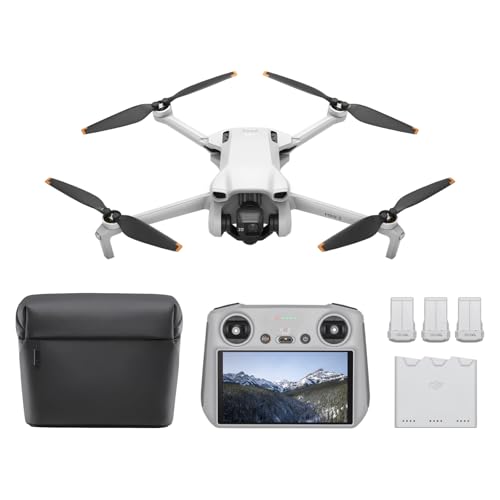
5. DJI Mini 3 (DJI RC), Lightweight 3x Mechanical Gimbal

The DJI Mini 3 (DJI RC) offers a significant convenience for Android users. Instead of relying on your smartphone, this package comes with the DJI RC controller, which has the DJI Fly app pre-installed and a built-in 5.5-inch HD display. This means you bypass the need to download the best DJI drone app for Android onto your personal device entirely, giving you a dedicated, lag-free control experience from the get-go. With 4K HDR video, True Vertical Shooting, and extended battery life options, the Mini 3 is a powerful, portable tool for content creators.
-
Key Features:
- No Registration Needed (under 249g) for recreational use.
- 4K UHD Stunning Imagery with HDR Video and Dual Native ISO Fusion.
- Striking Vertical Videos with True Vertical Shooting.
- Extended Battery Life (up to 51 minutes with Intelligent Flight Battery Plus, sold separately).
- 38kph (Level 5) Wind Resistant and 3-Axis Gimbal for stable footage.
- 10km Max HD Video Transmission.
- Includes DJI RC controller with pre-installed DJI Fly App and built-in HD display.
- Beginner-Friendly and Safe with GPS RTH, Precise Hovering.
-
Pros:
- DJI RC controller eliminates the need for a separate Android device and app download.
- Excellent 4K HDR camera with True Vertical Shooting.
- Lightweight and highly portable.
- Strong wind resistance and stable flight.
- Extended flight time options.
-
Cons:
- Intelligent Flight Battery Plus increases weight above 249g.
- Slightly higher price point due to the included DJI RC.
-
User Impressions: The DJI RC controller is a game-changer for many, providing a seamless and distraction-free flying experience. Users love not having to worry about their phone’s battery or app compatibility, making the Mini 3 with DJI RC a top contender for the most hassle-free “best DJI drone app for Android” experience available. The camera quality and ease of use are also highly praised.
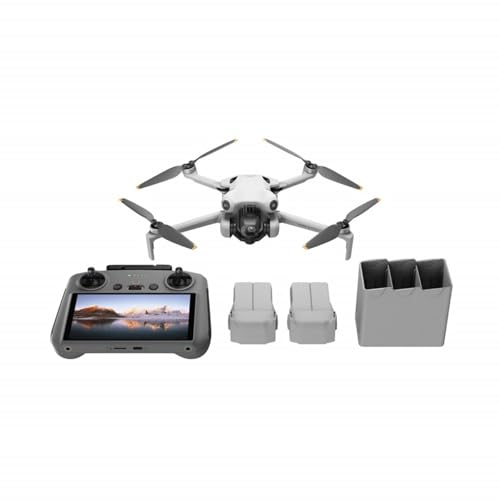
6. DJI Mavic 4 Pro Fly More Combo with DJI RC

The DJI Mavic 4 Pro Fly More Combo sets a new standard for professional aerial photography and videography. Featuring an incredible 100MP Hasselblad camera and dual tele cameras, this drone delivers breathtaking detail and versatility. Like the Mini 3 (DJI RC), this combo includes the DJI RC 2, a dedicated remote controller with the DJI Fly app pre-installed and a high-bright display. This means Android users get a professional-grade flying experience without having to download or manage the app on their phone, ensuring peak performance and focus on capturing stunning 6K footage, cementing its place as a premium, integrated DJI app experience.
-
Key Features:
- 100MP Hasselblad Main Camera with 6K/60fps HDR video.
- Versatile Dual Tele Cameras for crisp zooms and detailed shots.
- 360° Infinity Gimbal for dynamic camera movement.
- 0.1-Lux Nightscape Omnidirectional Obstacle Sensing for safe night flights.
- Extended 51 minutes of flight time.
- 30km/18.6mi O4+ Long-Range Video Transmission.
- 7″ rotatable, high-bright DJI RC 2 remote controller with pre-installed DJI Fly App.
- Includes DJI Mavic 4 Pro, DJI RC 2, three batteries, charging hub.
-
Pros:
- Industry-leading camera quality with Hasselblad and dual tele lenses.
- Advanced obstacle sensing for superior safety.
- Exceptional flight time and video transmission range.
- DJI RC 2 provides a dedicated, professional-grade control experience.
-
Cons:
- Premium price point.
- Larger and heavier than mini drones.
-
User Impressions: Professionals and serious hobbyists are blown away by the Mavic 4 Pro’s imaging capabilities and flight performance. The inclusion of the DJI RC 2 is a huge plus, streamlining the workflow and providing a reliable “app experience” that doesn’t rely on a personal Android device, allowing for maximum focus on complex shoots. It’s often called the ultimate solution for professional drone control on Android.
7. DJI Mavic 4 Pro Drone 512GB Creator Combo (DJI RC
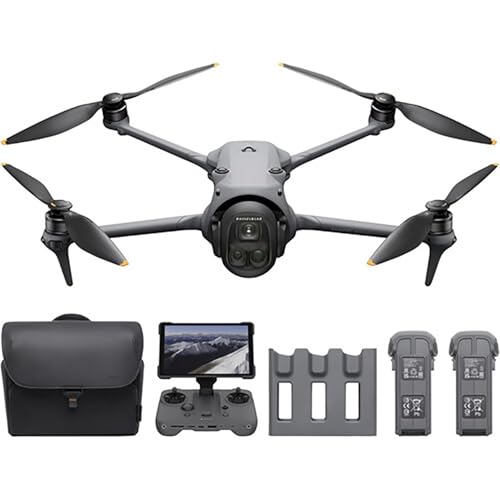
The DJI Mavic 4 Pro 512GB Creator Combo is for those who demand the absolute best in aerial filmmaking. With a massive 512GB of onboard storage and all the cutting-edge features of the Mavic 4 Pro, it’s a powerhouse. This combo also includes the DJI RC, ensuring that your experience with the best DJI drone app for Android is seamless and robust, as the DJI Fly app comes pre-installed on the controller. The ability to capture 100MP RAW images and 6K video, combined with advanced features like ActiveTrack 360°, means you’re equipped for any creative challenge, with the app providing all the necessary controls and telemetry.
-
Key Features:
- 100MP Hasselblad Camera with 4/3 CMOS sensor for 6K/60fps HDR video.
- Dual Telephoto Cameras (medium tele & tele lenses) for versatile shooting.
- Infinity Gimbal 360° Rotation for unique cinematic freedom.
- 0.1-Lux Nightscape Vision & LiDAR for safe, precise flights in darkness.
- 51-Minute Flight Time with high-capacity 95Wh battery.
- DJI O4+ Transmission (up to 30 km) for ultra-reliable video feed.
- ActiveTrack 360° Tracking for cinematic subject focus.
- 4K/120fps Slow Motion Recording.
- Up to 512GB Onboard Storage for high-spec filmmaking.
- QuickTransfer with Wi-Fi 6 (80MB/s) without powering on the drone.
- Includes DJI RC remote controller.
-
Pros:
- Unparalleled camera and video quality with vast internal storage.
- Extensive flight time and long-range transmission.
- Advanced obstacle avoidance and tracking features.
- Dedicated DJI RC controller for a superior, integrated app experience.
-
Cons:
- High investment cost.
- Professional-grade features might be overkill for casual users.
-
User Impressions: Creators emphasize the Mavic 4 Pro’s ability to deliver truly professional results. The massive storage and advanced tracking, all managed through the intuitive DJI Fly app on the DJI RC, make it a dream for serious filmmakers. The integrated app experience is consistently praised for its stability and comprehensive control options.
8. DJI Flip (RC-N3), Drone With 4K UHD Camera for Adults

The DJI Flip (RC-N3) is designed for worry-free flying, especially indoors or in crowded areas, thanks to its full-coverage carbon fiber propeller guards. This lightweight 4K drone offers excellent image quality and intelligent features like subject tracking, making it a fantastic personal cinematographer. For Android users, the DJI Fly app (downloadable from DJI’s official website) serves as the control hub, allowing you to activate, fly, and utilize all its smart functions like subject tracking. It’s an accessible and safe option that doesn’t compromise on creative power, making the app essential for unlocking its full potential.
-
Key Features:
- Full-coverage carbon fiber propeller guards for comprehensive protection.
- Under 249g – lightweight and regulation-friendly (no FAA registration/Remote ID).
- Subject Tracking to keep your subject in focus.
- 1/1.3-inch CMOS sensor for clear images with vivid detail.
- Stunning 4K/60fps HDR Video.
- 31-Min Max Flight Time.
- Includes DJI Flip, DJI RC-N3 remote controller, one Intelligent Flight Battery.
-
Pros:
- Extremely safe for flying indoors or around people due to propeller guards.
- Lightweight and highly portable.
- Excellent 4K HDR camera and subject tracking.
- Good flight time for a mini drone.
-
Cons:
- DJI Fly app requires manual download for Android users.
- Propeller guards add bulk, though they are lightweight.
-
User Impressions: Users love the peace of mind offered by the propeller guards and the Flip’s ability to track subjects flawlessly. The DJI Fly app, once installed on an Android phone, is lauded for its straightforward interface that makes accessing these smart features simple, solidifying its place as a fun and safe drone, heavily reliant on a good app experience.
9. DJI Osmo Mobile 7P Gimbal Stabilizer for iPhone, Android

While not a drone, the DJI Osmo Mobile 7P is a phenomenal gimbal stabilizer that greatly enhances mobile videography for Android users. It relies on the DJI Mimo app (downloadable from DJI’s official website) to unleash its full potential. The Mimo app provides intelligent tracking, ShotGuides, one-tap editing, and seamless control over your phone’s camera, effectively making it the best DJI app for Android users focused on handheld video creation. The Osmo Mobile 7P’s integrated extension rod, tripod, and innovative Multifunctional Module make it an all-in-one content creation tool that pairs perfectly with your Android smartphone and the dedicated Mimo app.
-
Key Features:
- Multifunctional Module with intelligent tracking, DJI Mic 2/Mini reception, and lighting features.
- Robust 3-axis gimbal stabilization for seamless, lossless stability.
- ShotGuides and One-Tap Edit via DJI Mimo app for pro-level content creation.
- Quick power-on and magnetic smartphone mounting with auto Mimo app pop-up.
- Built-in extension rod and tripod for creative versatility.
- Max operating time of 10 hours.
- Dual-Lens Enhanced Tracking for smarter, steadier subject focus.
- Includes phone gimbal, Multifunctional Module, DJI OM 7 Series Magnetic Phone Clamp.
-
Pros:
- Exceptional 3-axis stabilization for buttery-smooth video.
- Powerful DJI Mimo app for advanced features and editing.
- Integrated extension rod and tripod for versatility.
- Long battery life and intelligent tracking.
- Multifunctional Module adds significant utility.
-
Cons:
- DJI Mimo app requires manual download from DJI’s website for Android.
- Requires a compatible smartphone for full functionality.
-
User Impressions: Content creators are highly impressed with the Osmo Mobile 7P’s stabilization and the DJI Mimo app’s intelligent features. Users find the Mimo app crucial for unlocking the gimbal’s potential, providing an intuitive interface for tracking, shooting, and editing directly on their Android phones.
10. DJI Neo, Mini Drone with 4K UHD Camera for Adults

The DJI Neo is a truly pocket-sized marvel, weighing in at a mere 135g – lighter than many smartphones! This mini drone is all about grab-and-go convenience, offering palm takeoff and landing, and even controller-free operation options. For Android users, the DJI Fly app (downloadable from DJI’s official website) is vital for activating the Neo and unlocking its Subject Tracking and eight creative QuickShot modes. Its robust 4K Ultra-Stabilized Video, level-4 wind resistance, and full-coverage propeller guards make it a worry-free companion for capturing spontaneous moments, making the DJI Fly app an indispensable part of its easy-to-use design.
-
Key Features:
- Extremely lightweight (135g) – no FAA registration/Remote ID needed.
- Palm Takeoff & Landing, Go Controller-Free (optional voice/mobile app/RC control).
- Subject Tracking & QuickShots for effortlessly capturing stunning vlogs.
- Multiple Control Options: voice (EN/CN), mobile app, or RC.
- 4K Ultra-Stabilized Video with DJI stabilization technology and level-4 wind resistance.
- Full-Coverage Propeller Guards for nervous flyers.
- Includes Battery, Propeller Guards.
-
Pros:
- Ultra-portable and incredibly lightweight.
- Extremely easy to fly, even for complete beginners.
- Versatile control options (including controller-free).
- Good 4K stabilized video for its size.
- Propeller guards enhance safety.
-
Cons:
- DJI Fly app is required for activation and full feature access (manual Android download).
- Limited flight range compared to larger drones.
-
User Impressions: Users adore the Neo’s portability and the sheer fun of flying it. The ability to control it with an Android phone via the DJI Fly app, or even hands-free, is a major selling point. The QuickShots are particularly popular for instantly creating shareable content, highlighting how the app enhances the drone’s creative capabilities.
FAQ: Your Top Questions About DJI Drone Apps for Android Answered
Q1: Why isn’t the DJI Fly app available on Google Play anymore?
A1: Due to platform compatibility issues, DJI removed the DJI Fly app (and DJI Mimo) from the Google Play Store. This isn’t unique to Android; it’s a strategic decision by DJI to ensure users get the most up-to-date and stable version directly from their official source, bypassing Google Play’s update cycles.
Q2: How do I download the DJI Fly app or DJI Mimo app for my Android phone?
A2: You should always download the latest version of the DJI Fly app or DJI Mimo app directly from the official DJI website. Simply navigate to the specific product page for your drone or gimbal, and you’ll find a download link for the Android APK. Make sure to enable “Install from Unknown Sources” in your Android settings temporarily to install the APK.
Q3: Is it safe to download the DJI Fly app from the official DJI website?
A3: Absolutely! Downloading directly from the official DJI website is the safest and most recommended method. This ensures you’re getting an authentic, un-tampered version of the app, complete with the latest features and security updates.
Q4: Can I control my DJI drone without a smartphone app?
A4: Some DJI drones, particularly those bundled with a DJI RC or DJI RC 2 controller, have the DJI Fly app pre-installed on the controller itself. This allows you to fly and access features without needing your personal Android smartphone. For drones that come with a standard RC-N1C or RC-N3 controller (which connects to your phone), an Android device with the DJI Fly app is essential for flight and camera control.
Q5: What are the key functionalities I get from the DJI Fly app on Android?
A5: The DJI Fly app is your command center! It provides a real-time HD camera view, flight status information, access to intelligent flight modes (like QuickShots, ActiveTrack), camera settings adjustments, drone calibration, firmware updates, and basic video editing tools. It’s truly what makes your DJI drone smart and easy to use.
Q6: What’s the difference between the DJI Fly app and the DJI Mimo app?
A6: The DJI Fly app is specifically designed for DJI drones, providing flight control, camera operation, and intelligent flight modes for aerial photography and videography. The DJI Mimo app, on the other hand, is for DJI handheld products like the Osmo Mobile series gimbals and Osmo Pocket cameras, focusing on stabilized video recording, intelligent tracking, and editing for ground-level content creation.
Q7: Can I use third-party apps to control my DJI drone on Android?
A7: While some third-party apps exist, DJI strongly recommends using their official apps (DJI Fly or DJI Mimo). Using unofficial apps can lead to performance issues, compatibility problems, lack of updates, and potentially void your drone’s warranty. Stick to the official app for the best DJI drone app for Android experience.
Q8: What are the minimum Android requirements for DJI apps?
A8: Generally, DJI apps require Android 8.0 or later. However, for optimal performance, especially with newer drones and higher video resolutions, a more powerful and recent Android device (e.g., Android 10 or newer with a good processor and ample RAM) is recommended to ensure smooth real-time video feeds and responsive control.