Featured image for this comprehensive guide about does drone need wifi?
Image source: dronewhoop.com
The sky is no longer the limit – it’s a canvas for adventure, a stage for breathtaking aerial photography, and a workspace for industries leveraging the power of unmanned aerial vehicles. Drones have soared into every facet of our lives, from delivering packages to inspecting infrastructure, and capturing cinematic moments. As these incredible machines become more commonplace, a fundamental question often arises for aspiring pilots and curious minds alike: does drone need WiFi to fly?
It’s a perfectly valid query in our hyper-connected world, where almost every device, from our smartwatches to our refrigerators, seems to demand a wireless internet connection. The assumption that a sophisticated flying machine would also rely on Wi-Fi for its core operations is understandable. However, the truth about drone connectivity is far more nuanced and, in many cases, delightfully liberating from the shackles of internet dependency. Understanding how drones communicate is key to unlocking their full potential and troubleshooting any connectivity woes you might encounter.
In this comprehensive guide, we’ll dive deep into the intricate world of drone communication. We’ll demystify the technologies that enable these devices to take flight, respond to commands, and transmit stunning visuals. By the end, you’ll have a crystal-clear understanding of when and why Wi-Fi plays a role (or doesn’t) in your drone’s operations, empowering you to fly with confidence and expertise. Prepare to separate fact from common misconception as we explore the essential question: does drone need WiFi?
Quick Answers to Common Questions
Does my drone need Wi-Fi to fly?
No, most drones don’t need Wi-Fi to actually take off and fly. They typically use their own dedicated radio frequencies to communicate with the remote controller.
Does a drone need Wi-Fi to connect to my phone?
Often, yes! Many consumer drones create their own Wi-Fi hotspot that your smartphone or tablet connects to. This link allows you to see the live camera feed and access advanced flight features through an app.
Does my drone need an internet connection (like from my home Wi-Fi) to work?
Generally no, your drone doesn’t need an active internet connection to fly or record footage. An internet connection is usually only needed for things like app updates, firmware downloads, or downloading maps in the flight application.
Do drones need Wi-Fi to record video or take photos?
Nope! Your drone records video and captures photos directly onto an onboard SD card. So, no Wi-Fi connection is needed for the actual recording process itself, though you might use Wi-Fi to preview or transfer files.
Can I fly my drone in an area with no Wi-Fi signal at all?
Absolutely! Since your drone either creates its own Wi-Fi for your phone or uses dedicated radio frequencies for control, you can easily fly it in remote areas without any external Wi-Fi or cellular signal.
📋 Table of Contents
- The Core Question: Do Drones Really Need Wi-Fi to Fly?
- Understanding Drone Communication: Beyond Wi-Fi
- When Wi-Fi *Does* Play a Role in Drones
- The Impact of Not Having Wi-Fi (or Poor Wi-Fi) on Drone Operations
- Optimizing Your Drone’s Connectivity for Best Performance
- Future Trends: 5G and Beyond for Drone Connectivity
- Conclusion: The Nuanced Truth of Drone Connectivity
The Core Question: Do Drones Really Need Wi-Fi to Fly?
Let’s cut straight to the chase and address the central question that brings many here: does drone need WiFi to perform its primary function of flying? The answer, for the vast majority of consumer and professional drones, is a resounding no, not for basic flight control.
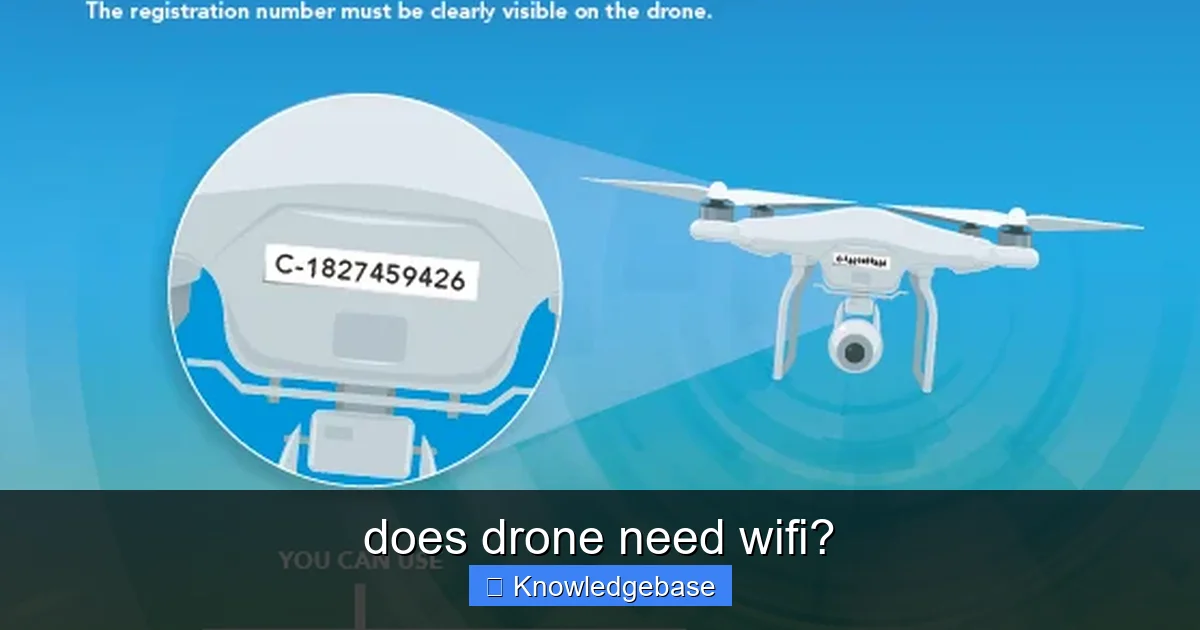
Learn more about does drone need wifi? – does drone need wifi?
Image source: dronesmart.ca
This might come as a surprise to some, especially given how ubiquitous Wi-Fi is in modern technology. However, the critical systems that enable a drone to take off, ascend, descend, move forward, backward, and side-to-side, as well as execute commands like hovering or returning to home, typically do not rely on a standard Wi-Fi internet connection. Instead, drones employ more robust and specialized communication protocols designed for reliable, low-latency control and data transmission.
| Drone Function/Feature | Primary Connectivity Method | Role of Wi-Fi (if any) | Wi-Fi Necessity for This Function |
|---|---|---|---|
| **Basic Flight Control** (Remote Control) | Dedicated Radio Frequency (e.g., 2.4 GHz, 5.8 GHz, OcuSync, Lightbridge) | Generally none; direct, low-latency communication between controller and drone. | No (Critical flight functions rarely use standard Wi-Fi due to latency/range limitations). |
| **Real-time Video Feed** (FPV) | Dedicated RF (e.g., DJI OcuSync) or Wi-Fi (older/entry-level models) | Can be used to transmit live video to a smartphone/tablet (often creating its own Wi-Fi network). | Optional (Many professional drones use proprietary RF; some consumer drones rely on Wi-Fi). |
| **GPS & Navigation** | GPS/GLONASS Satellite Systems | No direct role in receiving GPS signals. Wi-Fi on controller may aid map loading. | No (Drone’s positioning is independent of Wi-Fi). |
| **Firmware Updates & Media Transfer** | USB, Bluetooth, or Wi-Fi (drone to phone/controller) | Often used for connecting the drone to a smartphone app for settings, updates, and downloading photos/videos. | Often Yes (For these specific tasks, not for flight itself; requires Wi-Fi network or drone’s own Wi-Fi hotspot). |
| **Entry-Level/Toy Drones** | Wi-Fi Direct (drone generates its own network for phone connection) | Primary method for both control (via smartphone app) and real-time video streaming. | Yes (Essential for operation, as smartphone is the controller). |
Think about it logically: if a drone relied solely on your home Wi-Fi network, its range would be severely limited to the confines of your router’s signal. Imagine trying to fly your drone through a vast open field or over a remote landscape where no Wi-Fi networks exist. This dependency would render drones practically useless for many of their intended purposes, especially for outdoor aerial photography, surveying, or exploration.
So, while the device you use to control your drone (often a smartphone or a dedicated remote controller) might have Wi-Fi capabilities, and indeed, some aspects of your drone’s functionality might utilize Wi-Fi, the act of flying itself is governed by entirely different, more direct communication methods. Understanding these distinctions is crucial for anyone looking to maximize their drone experience and avoid common pitfalls related to connectivity. We’ll explore these alternative communication methods in the following sections, shedding light on what truly powers your drone’s flight capabilities.
Understanding Drone Communication: Beyond Wi-Fi
If not Wi-Fi, then what mystical forces allow your drone to dance through the air? The answer lies in a sophisticated interplay of specialized radio frequencies, advanced positioning systems, and an array of internal sensors. These technologies work in concert to provide precise control, stable flight, and vital data, ensuring your drone operates safely and efficiently.

Learn more about does drone need wifi? – does drone need wifi?
Image source: swellrc.com
Radio Frequency (RF) Control: The Backbone of Flight
The primary method for a drone’s remote controller to communicate with the aircraft is through dedicated Radio Frequency (RF) signals. Unlike Wi-Fi, which is designed for general data networking, RF control systems are engineered specifically for command and control with minimal latency and maximum reliability. Common frequencies used include 2.4 GHz and 5.8 GHz, similar to Wi-Fi, but they operate on proprietary protocols optimized for drone communication.
- 2.4 GHz: Widely used due to its good range and ability to penetrate obstacles better than 5.8 GHz. However, it can be susceptible to interference from other 2.4 GHz devices (Wi-Fi routers, Bluetooth devices, microwaves).
- 5.8 GHz: Offers less interference in crowded 2.4 GHz environments and often provides higher bandwidth for video transmission, but its range can be shorter and it’s more sensitive to line-of-sight obstructions.
Many advanced drones, particularly those from manufacturers like DJI, employ proprietary transmission technologies such as OcuSync (now O3+) and Lightbridge. These systems are highly optimized for drone use, offering:
- Extended Range: Significantly greater distances than standard Wi-Fi, often several kilometers.
- Lower Latency: Crucial for real-time control, ensuring your commands are executed almost instantly.
- Enhanced Anti-Interference Capabilities: Often utilizing frequency hopping spread spectrum (FHSS) or direct sequence spread spectrum (DSSS) techniques to maintain a stable connection in challenging environments.
- Integrated Video Transmission: Many of these systems seamlessly integrate high-definition live video feeds back to the controller or connected mobile device, often without relying on Wi-Fi for this crucial data stream.
GPS and GLONASS: Your Drone’s Eyes in the Sky
While RF handles the commands, Global Positioning System (GPS) and its Russian counterpart, GLONASS, are vital for a drone’s spatial awareness. These satellite navigation systems allow the drone to precisely determine its location, altitude, and speed in 3D space. This information is critical for:
- Stable Hovering: The drone uses GPS data to maintain its position even in windy conditions.
- Navigation: Following pre-programmed flight paths and waypoints.
- Return-to-Home (RTH) Function: A crucial safety feature that guides the drone back to its takeoff point automatically, especially if the control signal is lost or the battery runs low.
- Geofencing: Enforcing flight restrictions in sensitive areas.
Modern drones often use multi-constellation GNSS (Global Navigation Satellite System) receivers, combining data from GPS, GLONASS, and sometimes other systems like Galileo or BeiDou, to achieve even greater accuracy and reliability.
Internal Sensors: The Drone’s Sixth Sense
Beyond external communication, a drone relies heavily on its internal sensory array to maintain stable flight and execute precise maneuvers. These sensors continuously feed data to the drone’s flight controller, which acts as its brain:
- Inertial Measurement Unit (IMU): Comprising accelerometers and gyroscopes, the IMU detects changes in the drone’s orientation, tilt, and acceleration, essential for maintaining stability.
- Barometer: Measures atmospheric pressure to accurately determine altitude.
- Compass (Magnetometer): Provides heading information, crucial for accurate navigation and orientation.
- Vision Positioning System (VPS): Many drones feature downward-facing cameras and ultrasonic sensors that help them maintain stable hovering indoors or at low altitudes where GPS signals may be weak or unavailable. This system maps ground textures and measures distance to the ground.
These sophisticated communication and sensor systems demonstrate that a drone’s flight control is a complex, self-contained operation, largely independent of the internet or typical home Wi-Fi networks. This robust design ensures reliability and performance, regardless of local Wi-Fi availability.
When Wi-Fi *Does* Play a Role in Drones
While we’ve established that does drone need WiFi for fundamental flight control is generally “no,” it would be misleading to say Wi-Fi has no role at all. In fact, for many consumer drones and in specific operational contexts, Wi-Fi can be absolutely crucial. Its involvement usually pertains to data transmission, setup, and enhancing the user experience rather than the core flight mechanics.
Wi-Fi for FPV and Live Streaming: Your Drone’s Eye View
For many entry-level and mid-range consumer drones, especially those priced under a few hundred dollars, Wi-Fi is the primary method for transmitting the drone’s live camera feed (First Person View, or FPV) to your smartphone or tablet. Here’s why and how:
- Ease of Use: Most people already own a smartphone, making it a convenient display for the drone’s camera. Wi-Fi is a standard communication protocol readily available on all smartphones.
- Cost-Effective: Integrating Wi-Fi modules into drones and controllers is generally more affordable than proprietary long-range transmission systems like OcuSync.
- App Integration: Dedicated drone apps connect to the drone’s Wi-Fi hotspot, allowing you to see what the drone sees, adjust camera settings, and sometimes even control basic flight functions through on-screen joysticks.
However, this reliance on Wi-Fi for FPV comes with caveats. Wi-Fi’s range is limited (typically 50-100 meters for consumer drones), and it’s susceptible to interference, which can lead to laggy video feeds, dropped connections, or even momentary loss of image. Professional-grade drones or those designed for longer ranges will use their dedicated RF links (e.g., OcuSync, Lightbridge) for more reliable and higher-quality video transmission.
Wi-Fi for Initial Setup and Firmware Updates
Before your drone can even take its first flight, or to keep it running smoothly, Wi-Fi often steps in. Many drones require you to connect your smartphone to the drone’s temporary Wi-Fi network (or for the drone to connect to your home Wi-Fi) for:
- Initial Activation and Registration: Some manufacturers require online activation via their app, which might leverage your phone’s internet connection, established after connecting to the drone’s Wi-Fi.
- Firmware Updates: Drones, like any smart device, receive periodic firmware updates to improve performance, add features, or fix bugs. These updates are often downloaded to your smartphone via Wi-Fi (or mobile data) and then transferred to the drone, sometimes requiring the drone itself to connect to an internet-enabled Wi-Fi network.
- Calibrations and Settings: Adjusting various drone settings, performing compass calibrations, or checking flight logs often happens through a mobile app that establishes a Wi-Fi connection with the drone.
Wi-Fi for Data Transfer (Photos and Videos)
After a fantastic flight, you’ll want to get your stunning aerial photos and videos off the drone. While an SD card is the primary storage method for most drones, Wi-Fi provides a convenient alternative for quick transfers:
- Direct to Smartphone: Many drones allow you to connect your phone to the drone’s Wi-Fi network and directly download media files to your device through the companion app. This is great for quick sharing on social media or for review without needing a computer.
- Quick Transfer Modes: Some drones have specific “QuickTransfer” modes that leverage high-speed Wi-Fi (often 5 GHz) to rapidly offload gigabytes of footage from the drone’s internal storage or SD card to a mobile device.
Wi-Fi for Advanced Features and Internet Connectivity (Specific Drones)
In some niche cases, particularly with more advanced or specialized drones, Wi-Fi might facilitate features that require direct internet access:
- Cloud Services: Certain enterprise drones might upload data directly to cloud storage or processing services if they have a Wi-Fi connection available.
- Real-time Mapping/Streaming: Drones used for surveying or emergency response might utilize a Wi-Fi or cellular connection to stream processed data to ground control centers in real-time, assuming the necessary infrastructure is in place.
In summary, while the core flight mechanism doesn’t usually rely on your home Wi-Fi, the broader user experience—from seeing what your drone sees to keeping its software up-to-date and easily accessing your media—is significantly enhanced, and sometimes dependent, on Wi-Fi connectivity. Therefore, understanding these distinctions is key to fully appreciating your drone’s capabilities.
The Impact of Not Having Wi-Fi (or Poor Wi-Fi) on Drone Operations
Given the varied roles Wi-Fi plays in drone functionality, it’s important to understand what happens when Wi-Fi is absent or unreliable. While your drone likely won’t fall out of the sky without it (unless Wi-Fi is its *only* control method, which is rare for anything beyond a toy drone), its operational capabilities can be severely limited.
Limitations for FPV and App-Based Control/Monitoring
For drones that use Wi-Fi for live video transmission, a lack of Wi-Fi signal or a poor connection has direct and immediate consequences:
- Loss of FPV Feed: Without Wi-Fi, you won’t see the real-time camera view on your smartphone. This means you’ll be flying “blind,” relying solely on line of sight. For any complex shot or flying beyond close range, this is a significant handicap and a safety risk.
- Laggy Video Transmission: Even if there’s a connection, a weak Wi-Fi signal can cause severe lag, choppiness, or pixelation in the FPV feed. This makes precise maneuvering difficult and can lead to disorientation.
- Inability to Adjust Camera Settings: Most drone apps that connect via Wi-Fi allow you to change exposure, ISO, white balance, and switch between photo/video modes. Without a connection, these settings are inaccessible during flight.
- Loss of On-Screen Telemetry: Critical flight data like altitude, speed, battery level, and distance often appear on the app interface. Losing Wi-Fi means losing access to this vital information, potentially leading to unsafe flying conditions or unexpected battery depletion.
- App-Based Control Issues: For some simpler drones where the smartphone app *is* the controller, losing the Wi-Fi connection means losing all control over the drone, potentially leading to a flyaway or crash. Thankfully, most reputable drones have failsafe mechanisms like Return-to-Home (RTH) if the primary control signal is lost.
Difficulty with Firmware Updates and Initial Setup
As discussed, Wi-Fi is often integral to keeping your drone’s software current. Without a stable Wi-Fi connection:
- Outdated Firmware: You won’t be able to download and install critical firmware updates. This can mean missing out on performance improvements, new features, bug fixes, or even security patches. In some cases, a drone might refuse to fly until its firmware is updated.
- Initial Activation Problems: For drones requiring online activation, a lack of Wi-Fi or internet connectivity (via your phone’s Wi-Fi) can prevent you from getting the drone off the ground initially.
- Troubleshooting Challenges: Many diagnostic tools and flight log reviews within drone apps require a connection to the drone (often Wi-Fi based) to function.
Inconvenience for Media Transfer
While an SD card provides a reliable backup, relying solely on it for media transfer can be less convenient without Wi-Fi:
- Slower Workflow: You’ll need to physically remove the SD card, insert it into a computer or card reader, and then transfer files. This isn’t ideal for quick sharing or on-the-go editing.
- No Instant Previews: Without the ability to quickly download low-resolution versions or review footage via Wi-Fi, you might not know if you got the shot until you’re back at a computer.
In essence, while your drone won’t necessarily cease to function entirely without Wi-Fi, your ability to interact with it, monitor its status, capture high-quality media, and maintain its software will be significantly hampered. For the best and safest drone experience, ensuring proper Wi-Fi connectivity (where applicable) is just as important as checking your battery levels and GPS signal.
Optimizing Your Drone’s Connectivity for Best Performance
Whether your drone relies heavily on Wi-Fi for FPV or uses proprietary RF systems, optimizing its connectivity is paramount for a smooth, safe, and enjoyable flying experience. Here are actionable tips to ensure you get the best out of your drone’s communication systems.
Choosing the Right Drone: Understanding Different Communication Protocols
Before even flying, the choice of drone significantly impacts connectivity. Be aware of the primary transmission method:
- Wi-Fi Dependent Drones: Typically cheaper, entry-level models. They often rely on Wi-Fi for both video transmission and basic control via a smartphone app. Their range and signal stability will be inherently limited. If you choose one of these, manage your expectations regarding range and interference.
- Drones with Proprietary RF Systems (e.g., DJI’s OcuSync/Lightbridge): Mid-range to high-end drones. These offer superior range, lower latency, and better interference resistance. Their video transmission is integrated into the RF link, making it much more reliable than standard Wi-Fi FPV. If connectivity is a top priority, invest in a drone with these advanced systems.
- FPV Racing Drones: Often use dedicated analog or digital video transmitters (VTX) for ultra-low latency FPV, separate from their control link (which is usually a dedicated RC link like Crossfire or ExpressLRS). While some digital FPV systems like DJI O3 Air Unit use proprietary digital transmission, they are purpose-built for high-performance FPV.
Best Practices for Wi-Fi Dependent Drones
If your drone primarily uses Wi-Fi for FPV and control, follow these tips to minimize issues:
- Minimize Interference: Fly in areas with minimal Wi-Fi activity. Avoid crowded urban environments, areas near multiple Wi-Fi routers, or other 2.4/5.8 GHz devices.
- Maintain Line of Sight: Always keep your drone within your visual line of sight and maintain a clear line of sight between your controller (and connected phone) and the drone. Obstacles like trees, buildings, and even your own body can block Wi-Fi signals.
- Keep Firmware Updated: Regularly check for and install firmware updates for both your drone and its controller. Manufacturers often release updates that improve connectivity, signal strength, and overall stability.
- Use a Dedicated Smartphone/Tablet: If possible, use a device solely for drone flying. Close all unnecessary apps running in the background, disable mobile data (if not needed for activation/maps), and turn off Bluetooth to reduce potential interference and free up processing power.
- Charge Everything: Ensure your drone, remote controller, and smartphone are all fully charged before flight. Low battery levels can sometimes affect signal output.
- Check Wi-Fi Channels: Some drone apps allow you to manually select the Wi-Fi channel. If you’re experiencing interference, try switching to a less congested channel.
Enhancing Range and Signal Stability (General Tips)
These tips apply to most drones, regardless of their primary communication protocol:
- Antenna Orientation: Pay attention to the orientation of your remote controller’s antennas. Many controllers have directional antennas, meaning they need to be pointed towards the drone for optimal signal strength. Check your drone’s manual for recommended antenna positioning.
- Elevate Your Position: Standing on higher ground can improve your line of sight with the drone, especially in areas with rolling terrain or obstacles.
- Avoid Electromagnetic Fields: Stay clear of power lines, cell towers, radio masts, and large metal structures, as these can generate strong electromagnetic interference that disrupts drone signals.
- Pre-Flight Checks: Always perform a thorough pre-flight check, including verifying signal strength and connection quality through your drone’s app. Don’t take off if the connection appears unstable.
- Return-to-Home (RTH) Configuration: Always set your RTH altitude to clear any potential obstacles in the drone’s return path. This is your ultimate safety net if signal is lost.
By implementing these optimization strategies, you can significantly improve your drone’s connectivity, ensuring a more reliable, safer, and ultimately more enjoyable flight experience, regardless of whether does drone need WiFi for a particular function.
Future Trends: 5G and Beyond for Drone Connectivity
While the question of “does drone need WiFi” primarily refers to local wireless networks, the future of drone connectivity is rapidly evolving, with cellular networks, particularly 5G, poised to revolutionize how drones operate. This shift promises to unlock unprecedented capabilities, especially for professional and enterprise applications.
The Promise of 5G for Drones
5G, the fifth generation of cellular technology, brings several key advantages that make it highly attractive for drone integration:
- Massive Bandwidth: 5G offers significantly higher data speeds than previous generations (and often Wi-Fi), enabling real-time transmission of high-resolution 4K or even 8K video from the drone, along with vast amounts of sensor data.
- Ultra-Low Latency: Crucial for remote control, 5G’s extremely low latency (down to 1 millisecond) allows for near-instantaneous command execution, making beyond visual line of sight (BVLOS) operations safer and more feasible.
- Widespread Coverage: Unlike Wi-Fi, which is limited by local hotspots, 5G networks offer broad, continuous coverage, potentially enabling drones to operate over much larger areas without losing connectivity.
- Enhanced Reliability: 5G networks are designed for high reliability and can support a massive number of connected devices, making them suitable for managing fleets of drones.
- Network Slicing: 5G allows for network slicing, where dedicated portions of the network can be allocated for specific applications, ensuring guaranteed performance for critical drone operations like public safety or package delivery.
Applications of 5G-Enabled Drones
The integration of 5G will unlock a plethora of new possibilities for drone technology:
- Beyond Visual Line of Sight (BVLOS) Operations: With reliable, low-latency 5G connectivity, drones can be controlled from hundreds or thousands of miles away, opening doors for long-distance inspection of pipelines, power lines, or vast agricultural fields.
- Real-time Data Streaming and Cloud Processing: Drones can stream high-definition video and sensor data directly to cloud-based AI systems for real-time analysis in applications like construction progress monitoring, emergency response, or security surveillance.
- Autonomous Delivery and Logistics: 5G can facilitate the safe and efficient operation of drone delivery networks, allowing for dynamic route optimization and communication with ground infrastructure.
- Swarm Intelligence and Collaborative Missions: Large fleets of drones can communicate with each other and a central command center over 5G, enabling complex, coordinated missions like large-scale search and rescue or precision agriculture.
- Remote Piloting and Training: Pilots can operate drones from a remote location, potentially enabling a single pilot to manage multiple drones across different sites, or facilitating advanced training simulations.
Challenges and Regulatory Hurdles
While 5G for drones holds immense promise, there are significant challenges to overcome:
- Regulatory Frameworks: Current aviation regulations often restrict BVLOS operations, requiring significant policy updates to fully leverage 5G capabilities.
- Network Availability and Quality: While 5G is expanding, ubiquitous, high-quality coverage is still a work in progress, especially in rural or remote areas where drones might be most beneficial.
- Security Concerns: Connecting drones to cellular networks introduces new cybersecurity risks that need robust solutions.
- Cost and Power Consumption: Integrating 5G modules can add to the cost and power consumption of drones, potentially impacting flight time.
Despite these challenges, the trajectory is clear: cellular connectivity, particularly 5G, is set to be a game-changer for drone technology, pushing the boundaries of what these amazing aerial machines can achieve, far beyond the confines of local Wi-Fi. The question will shift from “does drone need WiFi?” to “how can 5G best empower this drone?”
Conclusion: The Nuanced Truth of Drone Connectivity
So, does drone need WiFi? As we’ve thoroughly explored, the answer is more complex than a simple yes or no. For the fundamental act of flying and executing commands, most modern drones, especially those designed for performance and range, rely on robust, proprietary radio frequency (RF) communication systems, not standard Wi-Fi. These dedicated links ensure low-latency control and reliable signal transmission, even over significant distances and in challenging environments.
However, Wi-Fi undeniably plays a crucial supporting role in the drone ecosystem. It’s often the backbone for transmitting live video (FPV) to your smartphone, facilitating initial setup and vital firmware updates, and enabling convenient transfer of your breathtaking aerial photos and videos. Without Wi-Fi in these contexts, your drone experience can be severely hampered, leading to blind flights, outdated software, and cumbersome media management.
The key takeaway is to understand the distinction between a drone’s primary flight control and its ancillary functions. While you can often fly a drone in an area without any Wi-Fi networks (and indeed, you often should to minimize interference), the full user experience, diagnostics, and media workflow often benefit immensely from, or even depend on, a stable Wi-Fi connection.
As drone technology continues its rapid advancement, we’re seeing the emergence of new communication paradigms, most notably the integration of 5G cellular networks. This future promises to redefine drone capabilities, pushing beyond the limits of both Wi-Fi and even proprietary RF systems to enable truly long-range, autonomous, and cloud-connected operations. Understanding these evolving landscapes of drone connectivity will empower you to make informed decisions, optimize your drone’s performance, and safely explore the skies. Fly smart, fly connected, and always be aware of how your drone truly communicates.
Frequently Asked Questions
Does a drone need WiFi to fly?
Most consumer drones do not require a WiFi connection for flight itself. They typically use their own dedicated radio frequencies (like 2.4 GHz or 5.8 GHz) to communicate with the remote controller, which provides a more stable and longer-range connection than standard home WiFi.
When might a drone use WiFi?
While flying, a drone usually uses its own proprietary radio link. However, WiFi is commonly used to connect your smartphone to the drone for viewing the camera’s live feed, adjusting settings, or downloading media. Some smaller, toy-grade drones might even use WiFi as their primary control link.
Do all drones use WiFi for control?
No, not all drones use WiFi for control. While many entry-level and toy drones use WiFi for both control and video transmission to a smartphone, most mid-range to high-end consumer drones rely on more robust radio frequencies. These dedicated frequencies offer better range, reliability, and less interference than standard WiFi.
Can I fly my drone if there’s no internet access?
Yes, you can absolutely fly your drone without internet access. The drone’s communication with its controller is a local, direct connection and does not require an active internet connection. Internet access might only be needed for initial app downloads, map data updates, or uploading media to cloud services after a flight.
How do drones communicate if not always with WiFi?
Many drones, especially more advanced models, communicate with their remote controllers using dedicated radio transmission technologies. These often operate on frequencies like 2.4 GHz or 5.8 GHz, similar to WiFi, but they utilize proprietary protocols for enhanced stability, range, and lower latency. This direct radio link ensures reliable control signals and real-time video transmission.
Does the drone’s remote controller connect to WiFi?
Typically, the drone’s remote controller itself doesn’t connect to your home WiFi network for drone operation; it establishes a direct radio link with the drone. However, your smartphone, when connected to the controller or directly to the drone, might use its own WiFi to receive video or settings from the drone. Some advanced controllers with built-in screens might use WiFi to access online features like maps or firmware updates, but not for controlling the drone itself.