Featured image for this comprehensive guide about does mavic pro shoot 4k?
Image source: dein-drohnenpilot.de
Ever since its groundbreaking debut, the DJI Mavic Pro has held a special place in the hearts of drone enthusiasts and professional videographers alike. Its compact, foldable design coupled with an impressive flight performance made it a game-changer, democratizing aerial cinematography for many. But with technology constantly advancing and the demand for higher resolution footage soaring, a crucial question often arises for those considering this iconic drone, or for owners looking to maximize its potential: does Mavic Pro shoot 4K?
The allure of 4K video is undeniable. It promises breathtaking detail, vibrant colors, and a level of clarity that can transform ordinary footage into cinematic masterpieces. For content creators, travelers, and even real estate agents, the ability to capture such high-quality visuals from the sky is a tremendous asset. So, if you’re wondering whether this venerable drone is up to the task of delivering pixel-perfect imagery, you’ve come to the right place. We’re here to definitively answer that question and delve deep into the Mavic Pro’s camera capabilities, offering insights, tips, and a comprehensive look at what you can achieve with its imaging system.
Prepare to unlock the full potential of your DJI Mavic Pro as we explore its video modes, discuss best practices for capturing stunning aerials, and even compare its 4K performance to some of its more recent successors. By the end of this guide, you’ll not only have a clear answer to whether the Mavic Pro shoots 4K, but also a wealth of knowledge to elevate your aerial videography game.
Quick Answers to Common Questions
Does the Mavic Pro shoot 4K?
Absolutely! The original DJI Mavic Pro is indeed capable of capturing stunning 4K video, giving your aerial footage incredible detail and clarity.
At what frame rates can the Mavic Pro shoot 4K?
When you’re filming in 4K with your Mavic Pro, you can record at 24, 25, or 30 frames per second (fps). This gives you flexibility depending on your desired look and region.
Can the Mavic Pro shoot other resolutions besides 4K?
Yes, it definitely can! Beyond 4K, the Mavic Pro also offers excellent recording options in 2.7K and Full HD 1080p at various frame rates, providing versatility for different projects.
Is 4K always the best option for my Mavic Pro footage?
While 4K offers amazing detail, it’s not always necessary. Shooting in 4K produces much larger file sizes, so consider your storage and editing capabilities before always defaulting to it.
What do I need to shoot 4K effectively with my Mavic Pro?
To smoothly shoot 4K with your Mavic Pro, you’ll want a high-speed microSD card (UHS-I Speed Class 3 or faster is recommended) to handle the data rate. Also, ensure your drone’s firmware is up to date for optimal performance.
📋 Table of Contents
- Unveiling the DJI Mavic Pro’s Camera Capabilities: The 4K Reality
- Diving Deeper into 4K: Understanding the Mavic Pro’s Video Modes
- Maximizing Your Mavic Pro 4K Footage: Tips and Best Practices
- The Mavic Pro vs. Newer Models: A Look at 4K Evolution
- Technical Specifications & Data: A Deep Dive into Mavic Pro 4K
- Conclusion
Unveiling the DJI Mavic Pro’s Camera Capabilities: The 4K Reality
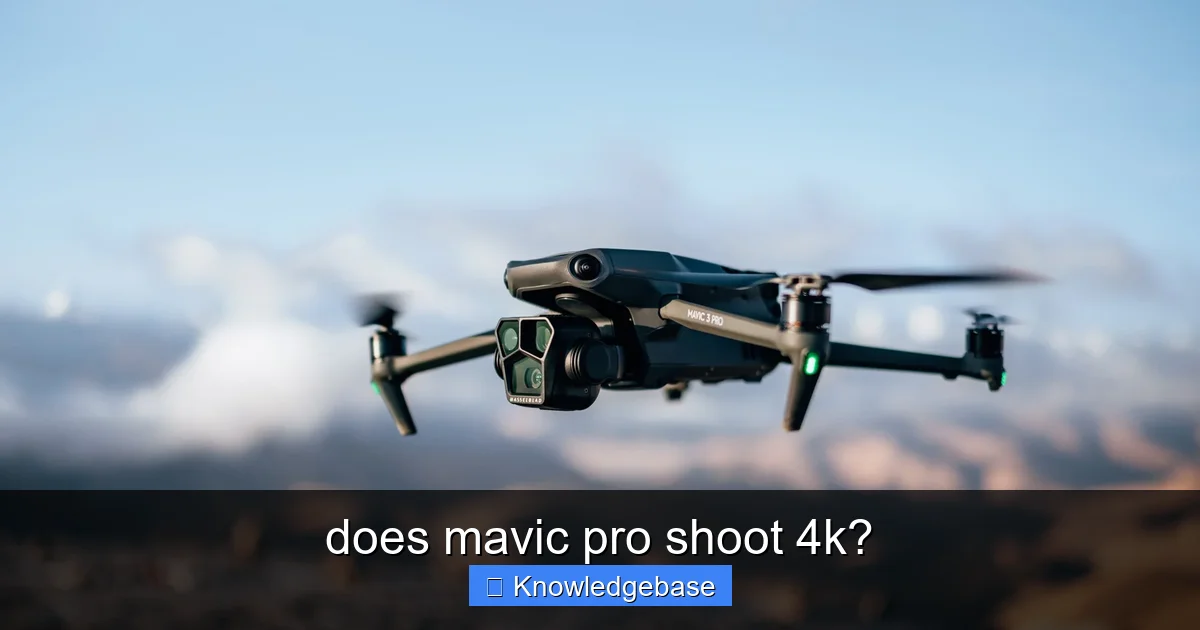
Let’s cut straight to the chase and settle the primary question: Yes, absolutely! The DJI Mavic Pro does indeed shoot 4K video. When it was first released, this capability was a significant selling point, placing professional-grade aerial footage within the reach of a much wider audience. The drone is equipped with a high-performance camera system designed to capture stunning visuals from the sky.
Learn more about does mavic pro shoot 4k? – does mavic pro shoot 4k?
Image source: popphoto.com
At the heart of the Mavic Pro camera is a 1/2.3-inch CMOS sensor, which, while not the largest in the drone world today, was highly capable for its time and still produces excellent results. This sensor is paired with a fixed 28mm equivalent lens (on a full-frame camera) that boasts an f/2.2 aperture. This combination allows the camera to gather a good amount of light, ensuring decent performance in various lighting conditions. Furthermore, the Mavic Pro features a robust 3-axis mechanical gimbal, which is crucial for delivering buttery-smooth, stable footage, even when the drone is moving at speed or battling light winds. This stabilization is paramount for achieving professional-looking 4K video, as any jagginess or shakes would be painfully obvious at such high resolutions.
| Video Feature | Specification | Notes/Context |
|---|---|---|
| 4K Video Resolution | Up to 4K UHD (3840×2160) | Also supports Cinema 4K (4096×2160) at 24 frames per second (fps). |
| Max 4K Frame Rate | 30 fps | Higher frame rates (e.g., 60fps, 96fps) are available at lower resolutions (2.7K, 1080p). |
| Sensor Type/Size | 1/2.3″ CMOS | Effective pixels: 12.35 MP. Standard sensor size for consumer drones of its generation. |
| Max Video Bitrate | 60 Mbps | Determines detail retention and file size. Good for general use, but can show compression in complex scenes. |
| Gimbal Stabilization | 3-axis mechanical gimbal | Ensures smooth, stable 4K footage by counteracting drone movements. |
The video recording capabilities of the DJI Mavic Pro are quite versatile, offering a range of resolutions and frame rates to suit different creative needs. Here are its primary video recording modes:
- 4K UHD (3840×2160): This is the star of the show, allowing you to capture ultra-high-definition footage at 30 frames per second (fps). This resolution provides incredible detail, perfect for large displays or for cropping in post-production without significant loss of quality.
- 2.7K (2704×1520): A great intermediate option, recording at 30 fps. It offers more detail than 1080p but requires less processing power and storage space than full 4K.
- 1080p (1920×1080): The traditional Full HD resolution, available at various frame rates including 30, 60, and even up to 96 fps. The higher frame rates are particularly useful for creating smooth slow-motion effects.
- 720p (1280×720): Also available at multiple frame rates, including 120 fps for extreme slow-motion. While not as detailed, it’s efficient for quick previews or when storage is extremely limited.
The ability to record in 4K at 30fps positions the original Mavic Pro as a formidable tool for aerial cinematography, capable of producing professional-grade content that stands up even today. Its inclusion of various frame rates also provides creative flexibility, allowing pilots to choose between crisp, detailed 4K and fluid, high-frame-rate 1080p for different shot requirements.
Diving Deeper into 4K: Understanding the Mavic Pro’s Video Modes
Knowing that your Mavic Pro shoots 4K is just the beginning. To truly leverage this capability, it’s essential to understand what 4K entails, how frame rates impact your footage, and the technical aspects like codecs and bitrates that contribute to the final quality of your aerial videos.

Learn more about does mavic pro shoot 4k? – does mavic pro shoot 4k?
Image source: notebookcheck-cn.com
What is 4K Ultra HD (UHD)?
When we talk about 4K video from the DJI Mavic Pro, we’re primarily referring to 4K Ultra High Definition (UHD), which has a resolution of 3840 pixels wide by 2160 pixels high. This means a total of approximately 8.3 million pixels per frame. To put this into perspective, it’s four times the pixel count of standard Full HD (1080p), which measures 1920×1080 pixels. This significant jump in resolution translates directly into vastly improved detail and sharpness in your footage.
The benefits of capturing in Mavic Pro 4K are manifold:
- Unprecedented Detail: Fine textures, distant objects, and intricate architectural elements will appear much clearer and more defined.
- Flexible Cropping and Reframing: Since you have so much resolution to work with, you can crop into your 4K footage in post-production to create 1080p or even 720p shots without any loss of quality. This is incredibly useful for refining compositions or adding digital zooms.
- Future-Proofing Your Content: As 4K displays become increasingly common, your Mavic Pro 4K video will look stunning on modern screens, ensuring your content remains relevant for years to come.
Frame Rates and Their Impact on Your Footage
The Mavic Pro offers 4K at 30 frames per second (fps). This frame rate is a widely accepted standard for cinematic looks and general video recording. It provides a natural motion blur that mimics how our eyes perceive motion, giving your footage a smooth, professional feel.
While 4K is limited to 30fps on the Mavic Pro, the drone offers higher frame rates at lower resolutions:
- 1080p at 60fps or 96fps: These higher frame rates are perfect for capturing fast-moving action or for creating smooth slow-motion sequences. When you play back 96fps footage at a standard 24fps or 30fps timeline, the action slows down dramatically, revealing details that would otherwise be missed.
- 720p at 120fps: For extremely dramatic slow-motion, 120fps offers an even greater ability to stretch time, ideal for capturing quick, fleeting moments with incredible fluidity.
Choosing the right frame rate depends entirely on your creative intent. For most cinematic aerial shots where motion blur is desired, 4K 30fps is your go-to. If you plan to slow down action significantly, switching to 1080p at higher frame rates will yield more impressive results.
Codecs and Bitrates for Optimal Mavic Pro 4K Recording
Behind the scenes, how your Mavic Pro records its video plays a critical role in the final quality. The drone utilizes the H.264 (MPEG-4 AVC) codec, which is a widely used and efficient compression standard. This codec allows the drone to record high-quality video files without them becoming excessively large and unmanageable.
Perhaps even more critical for quality is the video bitrate. The Mavic Pro records 4K video at a maximum bitrate of 60 Mbps (Megabits per second). The bitrate essentially dictates how much data per second is being saved to your SD card. A higher bitrate generally means less compression, resulting in more detail and fewer artifacts in your footage, especially in complex scenes with a lot of movement. A 60 Mbps bitrate for 4K UHD is quite respectable for a drone of its generation, providing a good balance between file size and image fidelity.
To ensure you capture this optimal bitrate and avoid dropped frames or corrupted files, it is absolutely crucial to use a high-speed microSD card. DJI recommends using a Class 10 or UHS-1 rated card with a writing speed of at least 15 MB/s. However, for seamless 4K recording and overall reliability, investing in a UHS-3 (U3) rated card from a reputable brand (like SanDisk Extreme, Samsung EVO Plus, or Lexar) is highly recommended. These cards can handle the sustained write speeds required for Mavic Pro 4K video without a hitch.
Maximizing Your Mavic Pro 4K Footage: Tips and Best Practices
While the DJI Mavic Pro is undeniably capable of capturing stunning 4K footage, simply pressing the record button won’t guarantee professional results. Elevating your aerial videography requires a combination of meticulous preparation, smart camera settings, smooth flight techniques, and thoughtful post-production. Here are some actionable tips to help you maximize your Mavic Pro 4K video quality.
Essential Pre-Flight Checks
Preparation is key to a successful flight and flawless footage:
- Calibrate IMU and Compass: Perform these calibrations periodically or when flying in a new location to ensure stable flight and accurate GPS positioning.
- Check Propellers and Motors: Inspect for any cracks, bends, or damage. Ensure they are securely attached.
- Battery Check: Ensure both the drone and remote controller batteries are fully charged. Carry spares!
- Clear and Format SD Card: Always format your microSD card within the DJI GO 4 app before each flight. This prevents fragmentation and ensures optimal recording performance. Verify you have ample storage space for your 4K video files, which can be quite large.
- Firmware Updates: Keep your drone, remote controller, and batteries updated to the latest firmware for optimal performance and safety.
- Check Weather Conditions: Wind speed, rain, and temperature can significantly affect flight stability and camera performance. Avoid flying in high winds or adverse weather.
Optimal Camera Settings for Stunning Results
Leveraging the manual controls of your Mavic Pro camera is paramount for achieving cinematic 4K footage:
- Manual Exposure: Shift away from auto-exposure. Set your ISO as low as possible (e.g., ISO 100) to minimize noise, especially in brighter conditions. Adjust your shutter speed to achieve a cinematic look, often following the “180-degree rule” (shutter speed should be roughly double your frame rate – e.g., 1/60th for 30fps).
- White Balance: Don’t leave this on auto. Manually set your white balance (e.g., Sunny, Cloudy, Custom) to match the lighting conditions. This ensures consistent color temperature across your shots and prevents jarring shifts.
- Color Profiles (D-Log/Cine-D): For those serious about post-production, switch to a flat color profile like D-Log or Cine-D (if available). These profiles capture more dynamic range and retain more color information, giving you greater flexibility for color grading in editing software. Your footage might look dull straight out of the camera, but it will be a superior canvas for grading.
- ND Filters (Neutral Density Filters): These are essential for controlling shutter speed in bright conditions. ND filters act like sunglasses for your camera, reducing the amount of light hitting the sensor without affecting color. This allows you to maintain that cinematic 180-degree rule for shutter speed, resulting in smoother motion blur in your Mavic Pro 4K footage. A good set of ND4, ND8, ND16, and ND32 covers most lighting situations.
Flight Techniques for Smooth, Professional 4K Video
Even the best camera settings won’t compensate for jerky flight:
- Smooth Stick Movements: Practice making slow, deliberate, and gentle movements with the controller sticks. Avoid sudden jerks or rapid changes in direction, which can make your footage appear amateurish.
- Utilize Intelligent Flight Modes: The Mavic Pro offers several intelligent flight modes that can help you achieve smooth, complex shots:
- ActiveTrack: Follows a subject automatically.
- Point of Interest (POI): Circles a subject at a set radius and altitude.
- Waypoint: Pre-program a flight path for repeatable, precise movements.
- Tripod Mode: Dramatically slows down the drone’s movements, allowing for extremely precise framing and smooth, slow shots. This is fantastic for achieving cinematic glides.
- Practice Composition: Think about leading lines, rule of thirds, and foreground elements to create visually engaging shots.
- Maintain Line of Sight: Always keep your drone within your visual line of sight to ensure safe operation and better awareness of its surroundings.
Post-Production Prowess
The magic isn’t over when you land. Post-production can significantly enhance your Mavic Pro 4K video:
- Powerful Editing Software: Use software capable of handling 4K footage without performance issues (e.g., Adobe Premiere Pro, DaVinci Resolve, Final Cut Pro).
- Color Grading: If you shot in a flat profile, now is the time to bring your colors to life. Color grading adds mood, consistency, and a professional sheen to your footage.
- Minor Stabilization (if needed): While the Mavic Pro’s gimbal is excellent, slight vibrations can sometimes occur. Minor stabilization in post-production can iron out any remaining jitters.
- Export Settings: Export your final video in 4K resolution at an appropriate bitrate (e.g., 40-80 Mbps for H.264) for your chosen platform (YouTube, Vimeo, personal use) to maintain quality without creating unnecessarily huge files.
The Mavic Pro vs. Newer Models: A Look at 4K Evolution
When the original DJI Mavic Pro launched, its ability to record 4K video from a compact, foldable drone was revolutionary. However, the drone market is fast-paced, and DJI has released several impressive successors since then. It’s natural to wonder how the Mavic Pro’s 4K capabilities stack up against its younger siblings. While newer models certainly bring advancements, the original Mavic Pro still delivers excellent 4K, and understanding the evolution helps contextualize its enduring value.
Sensor Size Advancements
One of the most significant evolutions in drone cameras has been sensor size. The Mavic Pro features a 1/2.3-inch CMOS sensor. Successors like the Mavic 2 Pro introduced a much larger 1-inch sensor (co-engineered with Hasselblad), while the Mavic Air 2 offered a 1/2-inch sensor, and the flagship Mavic 3 series boasts a Micro Four Thirds sensor. Larger sensors generally translate to:
- Improved Low Light Performance: Better light gathering capabilities result in cleaner footage with less noise in challenging light.
- Enhanced Dynamic Range: The ability to capture more detail in both the brightest highlights and darkest shadows.
- Shallower Depth of Field: While less pronounced on drones, larger sensors can offer a slightly more “cinematic” look with some background separation, though the wide-angle lenses keep most things in focus.
Higher Frame Rates in 4K
While the Mavic Pro captures 4K at 30fps, newer models have pushed these boundaries. Drones like the Mavic Air 2, Air 2S, and Mavic 2 Pro (through specific modes) can record 4K at 60fps. The latest Mavic 3 even goes up to 4K at 120fps. The ability to record 4K 60fps is a significant upgrade for those who desire ultra-smooth motion or the option to slow down their 4K footage by half without losing resolution.
Improved Dynamic Range and Color Science
Beyond sensor size and frame rates, newer DJI drones have also benefited from advancements in image processing, dynamic range optimization, and color science. For instance, the Mavic 2 Pro’s 10-bit Dlog-M color profile offers significantly more color information than the Mavic Pro’s 8-bit output, providing vastly more flexibility in color grading. Similarly, improved HDR (High Dynamic Range) capabilities on newer models allow for a greater contrast range in a single shot.
Why the Original Mavic Pro Still Delivers Excellent 4K
Despite these advancements, it’s crucial to acknowledge that the original Mavic Pro still delivers excellent 4K for many applications. Here’s why it remains relevant:
- Cost-Effectiveness: For budget-conscious creators, the Mavic Pro offers fantastic 4K quality at a fraction of the cost of newer flagship drones. Its value proposition is still strong on the used market.
- Portability and Design: Its iconic foldable design remains a benchmark, making it incredibly easy to transport.
- Sufficient Quality for Most Use Cases: For YouTube, social media, personal projects, or even many commercial applications (like real estate tours), the Mavic Pro’s 4K video quality is more than adequate. Most viewers consume content on devices that don’t fully leverage the differences in sensor size or color depth of the latest drones.
- Reliability and Stability: The original Mavic Pro is a remarkably stable and reliable drone, a testament to DJI’s engineering. Its 3-axis gimbal is still top-tier for stabilization.
In essence, while newer models offer incremental improvements in specific areas, the Mavic Pro’s 4K capability holds its own, especially when paired with good flight practices and proper post-production. It’s a testament to its initial groundbreaking design and technology.
Technical Specifications & Data: A Deep Dive into Mavic Pro 4K
For those who appreciate the hard data, understanding the precise technical specifications of the DJI Mavic Pro’s camera system further solidifies its capability to deliver high-quality 4K footage. These specifications outline the limits and potential of the drone’s imaging prowess.
Key Mavic Pro Camera Specifications
Here’s a detailed breakdown of the camera and video specifications directly relevant to its 4K capabilities:
| Feature | Specification |
|---|---|
| Sensor | 1/2.3” (CMOS) |
| Effective Pixels | 12.35 M (Total pixels: 12.71 M) |
| Lens | FOV 78.8° 28 mm (35 mm format equivalent) f/2.2 |
| ISO Range | Video: 100-3200; Photo: 100-1600 |
| Electronic Shutter Speed | 8s – 1/8000s |
| Max Video Resolution | C4K: 4096×2160 24p; 4K: 3840×2160 24/25/30p |
| Other Video Resolutions |
2.7K: 2704×1520 24/25/30p FHD: 1920×1080 24/25/30/48/50/60/96p HD: 1280×720 24/25/30/48/50/60/120p |
| Max Video Bitrate | 60 Mbps |
| Supported File Systems | FAT32 (≤ 32 GB); exFAT (> 32 GB) |
| Photo Formats | JPEG, DNG (RAW) |
| Video Formats | MP4, MOV (MPEG-4 AVC/H.264) |
| Supported SD Cards | Micro SD Max capacity: 64 GB. Class 10 or UHS-1 rating required. |
The distinction between C4K (Cinema 4K – 4096×2160) and 4K UHD (3840×2160) is important. While C4K offers a slightly wider aspect ratio often preferred in film production, 4K UHD is the standard for consumer televisions and online content. The Mavic Pro offers both, providing flexibility depending on your specific output needs. The 60 Mbps bitrate, while not the highest available in modern drones, is robust enough to capture substantial detail and color information, making the Mavic Pro a serious contender for professional-looking 4K video.
Remember, the maximum supported SD card capacity of 64 GB means you might need to carry multiple cards for longer shooting sessions, especially when recording extensively in 4K, as these files consume storage rapidly.
Conclusion
In conclusion, the answer to the pivotal question, “does Mavic Pro shoot 4K?” is a resounding yes. The DJI Mavic Pro was a pioneer in bringing ultra-high-definition aerial videography to the masses, equipped with a camera system capable of capturing stunning 4K UHD video at 30 frames per second. Its combination of a capable sensor, a sharp lens, a reliable 3-axis gimbal, and a respectable 60 Mbps bitrate ensures that your footage is crisp, stable, and packed with detail.
While the drone landscape has evolved with newer models featuring larger sensors and higher frame rates, the original Mavic Pro’s 4K capabilities remain highly relevant and impressive. With the right techniques – from meticulous pre-flight checks and optimal manual camera settings to smooth flight maneuvers and thoughtful post-production – you can consistently achieve professional-grade results that stand the test of time. Whether you’re a budding aerial cinematographer, a real estate professional, or simply a drone enthusiast, understanding and mastering the Mavic Pro’s 4K video potential will undoubtedly elevate your visual storytelling.
So, don’t let the age of this iconic drone fool you. Unleash its full power, embrace the tips shared in this guide, and continue to capture breathtaking 4K aerial footage that captivates and inspires. The sky is, quite literally, the limit for your creativity with the Mavic Pro.
Frequently Asked Questions
Does the original DJI Mavic Pro support 4K video recording?
Yes, the original DJI Mavic Pro is indeed capable of recording video in stunning 4K resolution. It offers excellent video capabilities for its generation, allowing users to capture high-definition aerial footage.
What are the maximum video resolutions and frame rates the Mavic Pro can achieve?
The Mavic Pro can record 4K (4096×2160 or 3840×2160) video at up to 30 frames per second (fps). It also supports 1080p Full HD at up to 96fps and 720p HD at up to 120fps for slow-motion effects.
Is the 4K footage from the Mavic Pro high quality?
For a drone released in its era, the Mavic Pro’s 4K footage is generally considered to be of very good quality, especially in good lighting conditions. It produces sharp images with decent color reproduction, making it suitable for professional and amateur videography.
Does shooting in 4K affect the Mavic Pro’s battery life or storage?
Yes, shooting in 4K resolution on the Mavic Pro will consume more battery power and significantly more storage space compared to lower resolutions like 1080p. It’s recommended to use a high-speed microSD card (U3 or V30 rated) with ample capacity when recording 4K video.
Are there any specific settings I need to enable to shoot 4K on the Mavic Pro?
To shoot in 4K, you typically need to access the video settings within the DJI GO 4 app connected to your Mavic Pro. Navigate to the video resolution options and select either 4K (4096×2160) or 4K UHD (3840×2160) at your desired frame rate. Ensure your drone’s firmware and app are up to date for optimal performance.
How does the Mavic Pro’s 4K camera compare to newer DJI drones?
While the Mavic Pro’s 4K camera was groundbreaking for its time, newer DJI drones often feature improved sensors, dynamic range, and higher frame rate options for 4K. Modern drones might offer 4K at 60fps, 10-bit color profiles, and better low-light performance, surpassing the original Mavic Pro in overall image quality and flexibility.